Column Selection
The multi-column ASCII, Excel, Lotus, Quattro Pro, SigmaPlot, dBase, SPSS, Systat, and multi-column DIF options use a common column selection procedure. This appears when specifying the X, Y, and Z columns manually in the Specify XYZ Data Item option.
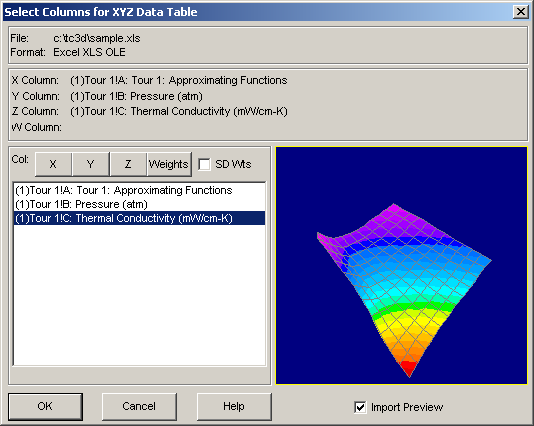
- The first selection is automatically assigned to the X column, the second is assigned to the Y column, and the third is assigned to the Z column. Three sequential columns can be assigned in a single step by double clicking on the column intended for the X variable.
- A weights column can then be specified, or the X, Y, or Z columns respecified, by selecting the desired column and then clicking on the X, Y, Z, or Weights buttons.
- If the SD Wts box is checked, each weight value is assumed to consist of the standard deviation associated with multiple Z measurements at each particular X, Y pair. When this box is checked, the imported column must consist of SD values. The data table weights will consist of 1/SD².
- To preview the data to be imported, the Import Preview button must be checked. The graphical preview is automatic. Graphs are shown once a valid X, Y, and Z have been selected. The number of valid points is shown just below the graph. The graph's format is fixed and animation is automatic.